
FRP反向隧道
安装
下载解压即可
运行
启动服务端
bash
nohup /usr/local/soft/frp_0.60.0_linux_amd64/frps -c frps.toml > /usr/local/soft/frp_0.60.0_linux_amd64/logs.txt 2>&1 &启动客户端
修改客户端配置
bash
serverAddr = "您的服务器IP"
serverPort = 7000

[[proxies]]
name = "test-tcp"
type = "tcp"
localIP = "127.0.0.1"
localPort = 8080
remotePort = 8080启动客户端
bash
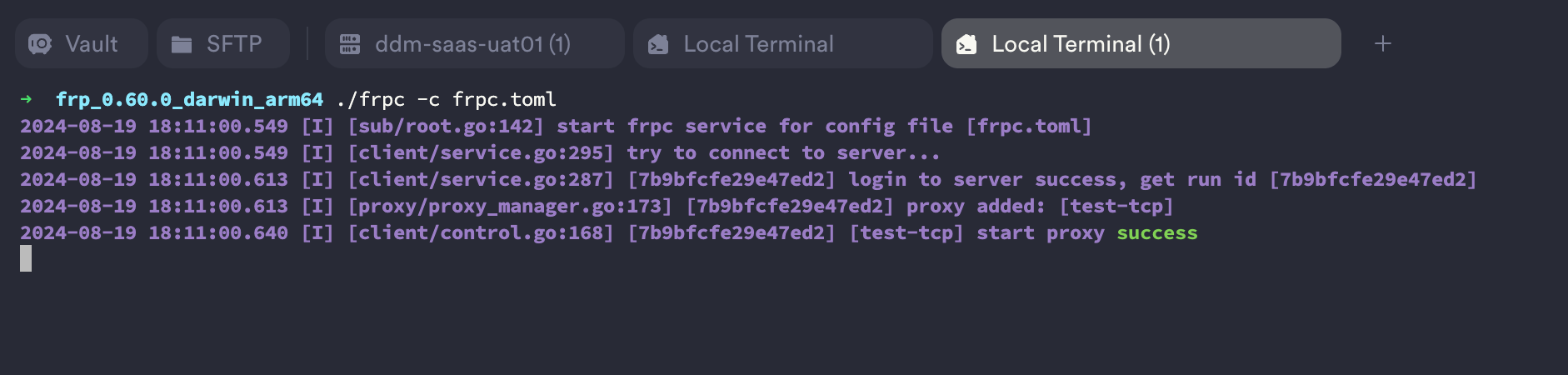
cd /Users/thomas/software/frp/frp_0.60.0_darwin_arm64/ && ./frpc -c frpc.toml显示启动成功
注册成服务
服务端
编辑frps.service配置文件
bash
vim /etc/systemd/system/frps.service文件内容如下:
bash
[Unit]
Description=frps
After=network.target

[Service]
WorkingDirectory=/usr/local/soft/frp_0.60.0_linux_amd64/
ExecStart=/usr/local/soft/frp_0.60.0_linux_amd64/frps -c frps.toml
Restart=always
User=root
PrivateTmp=true
RestartSec=5

[Install]
WantedBy=multi-user.target重载服务并启动
bash
systemctl daemon-reload
systemctl enable frps
systemctl start frps
systemctl status frps客户端
编辑frpc.service配置文件
bash
vim /etc/systemd/system/frpc.service文件内容如下:
bash
[Unit]
Description=frpc
After=network.target

[Service]
WorkingDirectory=/usr/local/soft/frp_0.60.0_linux_amd64
ExecStart=/usr/local/soft/frp_0.60.0_linux_amd64/frpc -c frpc.toml
Restart=on-failure
User=root
PrivateTmp=true
RestartSec=5s

[Install]
WantedBy=multi-user.target重载服务并启动
bash
systemctl daemon-reload
systemctl enable frps
systemctl start frps
systemctl status frps